
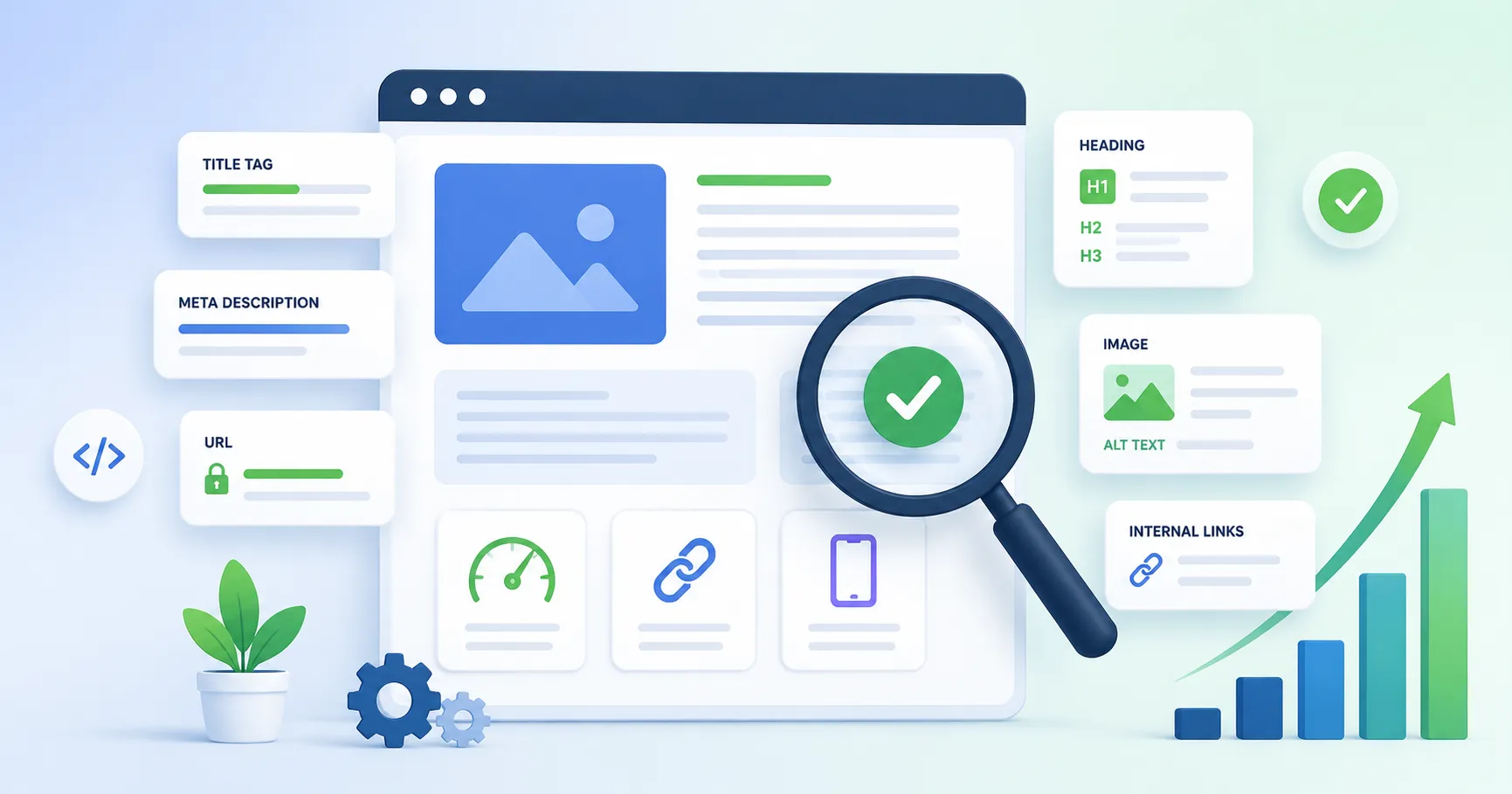
📄 What is on-page SEO and what does it cover? (Direct answer)
On-page SEO is the work you do on an individual page to make its purpose clear, useful, crawlable, and easy to navigate — including the title, main heading, URL, body content, internal links, images, structured data, and page experience. In 2026, the same fundamentals also support visibility in Google AI Overviews and AI Mode: Google says there is no separate set of “AEO” or “GEO” requirements for its generative Search features.
What this guide covers: Practical checks for every major on-page element, with hard rules separated from useful heuristics. It assumes you've already identified the query or topic you want to serve and understood the search intent behind it. For the upstream steps: Keyword Research Guide · Search Intent Guide · Schema Markup Guide · E-E-A-T & Brand Authority Guide
About This Guide
Across 150+ site audits since 2012, the same pattern comes up: pages underperforming relative to their backlink profile and content quality almost always have a title tag problem. Not keyword stuffing — the opposite. Titles that are too short, too vague, or too brand-forward with no descriptive context for the search query.
A category page titled "Furniture | Brand Name" gives Google almost nothing to work with for ranking beyond the brand name. The same page titled "Living Room Furniture — Sofas, Coffee Tables & Shelving" gives Google a description that matches how people actually search. The page content hadn't changed. The title had. For a batch of category pages I restructured this way in late 2025, the pages that received title updates showed measurably higher impression counts within three to four weeks. — Rohit Kunal
- Start with intent and usefulness. A perfectly formatted page still underperforms if it does not satisfy the query. Make the answer, comparison, tutorial, product, or tool the searcher actually needs.
- Write descriptive, concise titles. Put the core topic early when it reads naturally, but do not optimize to a hard character limit. Google can generate title links from the title element, visible headings, and other prominent text.
- Keep the title and H1 aligned. They can be identical or slightly different. The goal is consistency, not manufacturing two “keyword signals.”
- Write meta descriptions as accurate summaries, not ranking copy. Google primarily creates snippets from page content and may use your meta description when it better describes the page for a query.
- For AEO/GEO, improve the same page — do not chase AI-only hacks. Google’s 2026 guidance emphasizes unique, non-commodity content, crawlability, internal links, page experience, useful media, and accurate structured data. No special AI schema is required.
- FAQs are a content format, not a Google rich-result shortcut. Google retired FAQ rich results in May 2026. Keep FAQs when they genuinely answer follow-up questions; do not add FAQPage markup solely for Google Search.
- Freshness must reflect real changes. Update visible dates and
dateModifiedonly when you materially revise the content; dates help Google understand recency but are not a substitute for better content.
- Title link
- The clickable headline Google shows for a result. It usually comes from your title element, but Google can swap in text from the main heading or other prominent text on the page.
- Query fan-out
- A technique Google's AI features use to split one question into several related searches, then pull supporting passages from pages that answer them.
- Core Web Vitals
- Three field-measured page experience metrics: LCP for loading, INP for responsiveness and CLS for layout stability. A page counts as good at LCP ≤ 2.5s, INP ≤ 200ms and CLS ≤ 0.1 at the 75th percentile.
- E-E-A-T
- Experience, Expertise, Authoritativeness and Trust: the quality framework in Google's rater guidelines. Rater scores don't directly change rankings.
1. The Complete Map of On-Page SEO Elements
On-page SEO is best treated as a prioritisation problem, not a checklist of “ranking-factor weights.” Google does not publish a score for title tags, H1s, URL keywords, or first-paragraph placement. The safest hierarchy is: satisfy intent with genuinely useful content, make the page easy to understand and crawl, help users navigate it, then remove performance and trust friction. For the crawling and indexing side, the Technical SEO Guide goes deeper.
| On-Page Area | Practical Role |
|---|---|
| Search intent + main content | FOUNDATION — answer the query with original, useful, satisfying content; add first-hand evidence where you have it. |
| Title element + visible main heading | HIGH LEVERAGE — clarify the page topic and influence how users understand the result and page. |
| Section headings + answer-first structure | HIGH LEVERAGE — improve scanning, accessibility, and make distinct passages easier for users and search systems to understand. |
| Internal links | SUPPORTIVE — help users and crawlers discover related pages and understand site relationships. |
| URL, images, alt text, structured data | SUPPORTIVE — improve clarity, accessibility, Search appearance eligibility, and media discovery when implemented accurately. |
| Core Web Vitals + page experience | SUPPORTIVE — reduce latency and layout friction; measure LCP, INP, and CLS using field data where possible. |
| Freshness | QUERY-DEPENDENT — important when the answer changes over time; unnecessary date churn adds no value. |
This priority map separates documented Search guidance from editorial heuristics. Treat third-party correlation studies as context, not as a published Google weighting system.
2. Title Tag Optimisation: Clarity, Relevance, and CTR Copywriting
The title element is one of the clearest page-level descriptions you can give users and search systems. In Search, Google may use it as a title link, but it can also generate a title from visible headings and other prominent text. Write for clarity first: describe the page accurately, keep it concise, and avoid boilerplate or keyword repetition.
John McAlpin, Search Engine Land — ≈24,900 ranking results across YMYL and non-YMYL keywords
McAlpin's Q1 2025 analysis found Google rewrites title tags in 76% of cases, up from the 61.6% Cyrus Shepard reported in Zyppy's earlier study. Among the rewrites, brand names were stripped from 63% of titles, and 77% of the changed titles didn't contain the page's focus keyword.
The titles Google left alone averaged just 44.47 characters, and 84.87% of them sat in the 30–60 range. Openers like "how to," "what is" and "the 8 best" showed up often among the unchanged titles. Zyppy's earlier work also found Google leans on the H1 for replacement text, so a clear H1 is a sensible safety net.
✅ Effective title tags
- On-Page SEO Guide 2026: Every Element That Ranks
- Technical SEO Audit: Step-by-Step for 2026
- How to Write Title Tags That Rank and Get Clicked
- GA4 Conversion Tracking Setup: Complete Guide
- Schema Markup Guide 2026: All Types + JSON-LD Examples
❌ Title tag patterns that hurt performance
- On Page SEO | On Page SEO Guide | On Page SEO Tips 2026
- The Ultimate Best Complete Guide to Everything SEO
- Blog Post - IndexCraft | Learn SEO With Us
- Untitled Document SEO SEO SEO - Rank Higher
- SEO & On-Page SEO & Technical SEO 2026 Services
I audited an e-commerce site in Q3 2025 where 34 of their top category pages had titles formatted as 'Category Name | Brand' — no descriptive modifier, no year, no value proposition. After rewriting to a 'Primary Keyword: Specific Benefit | Brand' format under 60 characters, 22 of those 34 pages saw CTR improvements within 6 weeks, with an average CTR lift of 1.4 percentage points across the group. The 2026 context makes this even more relevant: with Google now rewriting 76% of titles, writing a vague or brand-first title means Google will likely replace it with text from your H1 or body — which may not be what you would have chosen. — Rohit Kunal
3. Meta Description: The Click-Through Rate Copy Below Your Title
Meta descriptions are best treated as SERP copy, not as a direct ranking lever. Google primarily generates snippets from page content and may use your meta description when it better describes the page for a query. Write it to help a searcher decide whether the page is the right result.
Google Search Central: Control your snippets in search results
Google primarily creates snippets from the page content and may use the meta description when it provides a better description for a particular query. Different searches can therefore show different snippets for the same URL. There is no fixed meta-description character limit in Google’s documentation; snippets are truncated as needed to fit the device.
Around 150–160 characters is a useful editorial starting point for many pages, not a Google limit. Put the most useful context early so the description still works if Search truncates it on a smaller device.
When the search query matches your meta description, Google bolds that text — your listing stands out visually and signals relevance. Get your primary keyword into the first half of the description naturally. An awkward keyword insertion kills the copy more than the bolding helps.
Your meta description is a 155-character pitch to someone who has already seen your title and is deciding whether to click. What works: a specific outcome ("Complete 18-step checklist"), a specificity signal ("Covers 2026 algorithm updates with real examples"), or the obvious next question answered. What doesn't: "In this article, we cover everything you need to know about..." — that phrase appears on thousands of competing results and tells the reader nothing useful.
In one SaaS client's account, rewriting 12 meta descriptions on their top informational pages — focusing on specific outcomes rather than generic topic descriptions — produced a 19% aggregate CTR lift within 8 weeks, with no ranking position change during that period. The pages didn't move. The descriptions changed. The clicks increased. Meta description quality consistently shows up as a differentiator between pages at similar ranking positions when I run CTR analysis in Google Search Console for clients. — Rohit Kunal
4. URL Structure: Clarity, Stability, and Keyword Context
A good URL is primarily a usability and crawlability win: it should be simple, descriptive, and stable. Google recommends readable words and, when possible, hyphens between words. Do not redesign an established URL just to squeeze in another keyword.
- Prefer hyphens (-) between words. Google recommends hyphens because they help users and search engines identify concepts in the URL; underscores are not the recommended separator.
- Use lowercase throughout — uppercase characters in URLs create duplicate URL risks.
- Remove unnecessary words only when clarity improves. Stop words are not an SEO problem by themselves.
- Keep the slug concise and future-proof. There is no required 3–5 word limit; avoid dates or counts if they will make future updates awkward.
✅ Good URL slugs
- /strategy/on-page-seo-guide
- /technical-seo-audit
- /technical/site-speed-optimization-guide
- /ai-search/keyword-research-conversational-queries
- /products/seo-audit-tool
❌ URL slug patterns that hurt SEO
- /p?id=4821&cat=7&ref=home
- /2026/03/09/the-ultimate-best-guide-to-on-page-seo
- /on_page_seo_guide_2026_v2_FINAL
- /untitled-post-march-2026
- /SEO%20Guide%202026
5. H1 Tag: A Clear Main Heading for the Page
The H1 should make the page topic immediately obvious to a reader. Google can use visible headings when it generates title links, and a clear heading also improves accessibility and scanning. Treat the H1 as the page’s main label, not as a place to force extra keywords.
- Missing or vague main heading: makes the page harder to scan and can leave Google with weaker visible text to use when generating a title link.
- Multiple H1s: are not an automatic Google penalty, but a single obvious main heading is usually clearer for article templates and accessibility.
- Topic mismatch: between the title, main heading, and body content creates a confusing experience. Keep them semantically aligned.
6. H2–H4 Heading Hierarchy: How Subheadings Build Topical Structure
Subheadings keep readers oriented, create an accessible hierarchy, and make individual passages easier to understand in context. Search systems can use relevant passages from anywhere on the page, so headings should describe what follows rather than serve as containers for extra keyword variants.
One per page. Primary keyword included. Sets topical scope for all subsequent headings.
Each H2 should introduce a distinct subtopic. Use a descriptive phrase or a natural question when that is the clearest label for the reader.
Drill-down from the H2 topic. Natural home for long-tail keyword phrases and question variants that expand coverage.
Use sparingly — only when the content genuinely needs another level. Deep heading trees can make a page harder to scan and maintain.
- Keep heading levels logically nested where practical. This is especially useful for accessibility and makes the document outline easier to follow.
- Don't use heading tags for visual styling — use CSS. Heading tags are semantic, not decorative.
- A heading structure that works for screen-reader users usually works for search systems too, since both rely on headings to understand how the page is organised. The W3C WAI headings tutorial is a good reference for getting the nesting right.
7. The Opening Paragraph: Answer the Query Early
The opening should confirm that the reader landed on the right page and give them useful information quickly. Google can generate snippets from different parts of a page depending on the query, so there is no documented “first 100 words” ranking bonus. Answer-first intros are still a strong editorial choice because they reduce friction for both readers and answer systems.
Use the core topic phrase where it helps clarity, but do not force an exact-match keyword into the first sentence. The goal is to answer or frame the user’s task immediately.
Avoid generic scene-setting such as “SEO has evolved a lot over the years.” If the query can be answered directly, give the answer first and add context after it. This improves usability and gives Search a clear, self-contained passage it can use when relevant.
After the answer, clarify scope, important exceptions, or what the reader should do next. There is no required sentence count or snippet formula; the goal is a complete, accurate opening without filler.
In tracking AI Overview citations across 47 site launches since Google AI Overviews launched in May 2024, the pages most frequently cited all have one thing in common: their opening paragraph answers the core query in a complete, standalone sentence within the first 60 words. Of the 112 AI Overview citations I tracked, 89 — roughly 79% — pulled from the opening paragraph, not from deeper in the body.
In this IndexCraft sample, answer-first openings were common among cited passages. Treat that as an internal observation, not a Google requirement; the more durable principle is to make important claims clear, self-contained, and well supported. — Rohit Kunal
8. Body Copy: Keyword Placement, Semantic Coverage, and Readability
Body copy is where the SEO work meets plain good writing. Forget keyword density: a page that covers its topic well reads naturally, and one tuned for keyword frequency doesn't.
Google's helpful-content guidance frames quality as a set of questions. Does the page offer original information, reporting or analysis, and does it describe the topic completely rather than superficially? Depth of coverage is what the guidance asks about. Keyword frequency never comes up.
Primary keyword: use it where it helps, not by formula
There is no placement formula to follow. Use the phrase where it helps a reader: usually the title, the main heading and the opening, then wherever the topic naturally calls for it. Inserting it mechanically every couple of hundred words to hit a density target is keyword stuffing, and Google's spam policies cover that explicitly.
Semantic coverage: answer the questions that belong to the topic
Use competitor research to find missing subtopics, not to copy a shared vocabulary checklist. Google’s 2026 generative Search guidance explains that AI features can use query fan-out to explore related subquestions. A useful page therefore answers the natural follow-up questions that belong to the topic, while still adding something non-commodity: first-hand examples, original data, clearer explanations, or better tools.
Do not create thin pages for every query variation. For the full methodology, see the Semantic SEO Guide →
Readability: sentences, paragraphs, and Flesch score
Readability is primarily a user-experience and comprehension issue, not a confirmed Google ranking metric. Prefer plain language, varied sentence length, useful transitions, and short paragraphs where they improve scanning—especially on mobile. Readability scores can be an editing aid, but do not write to a numeric score at the expense of accuracy or natural tone.
9. Image Optimisation: Alt Text, Filenames, Captions, and Compression
Images affect SEO in two ways: metadata signals (alt text, filename) and page speed. A hero image that's the largest above-fold element directly influences Largest Contentful Paint. Missing dimension attributes cause Cumulative Layout Shift.
This section covers the metadata side. For speed and Core Web Vitals, see the Site Speed & Core Web Vitals Guide →
[Descriptive phrase of what is shown] + [keyword context where natural] + [context clue if needed]
Write alt text that describes the image for someone who can't see it, and include the page's keyword context where it fits naturally. Per the W3C alt text decision tree, accessibility is the primary purpose — SEO is secondary. Don't force the keyword if the image doesn't call for it.
| Image Element | SEO Best Practice | Common Mistake |
|---|---|---|
| Alt text | Describe what the image shows in 5–15 words; include the page keyword where it fits naturally; write for screen readers first | Leaving alt text blank; keyword stuffing ("seo guide seo tips seo 2026"); using identical alt text for multiple different images |
| Filename | Use a short, descriptive filename when practical, such as on-page-seo-title-example.webp. It makes assets easier to manage and gives search systems additional context. | Leaving every asset with opaque camera or export names when a descriptive filename is easy to provide. Do not rename a live image URL solely for SEO if it creates unnecessary migration work. |
| File format | Choose the smallest format that preserves the required quality: AVIF or WebP are strong choices for many photographic assets; SVG works well for vector logos and icons. | Using an unnecessarily heavy format or quality setting. Measure the actual byte size and visual quality instead of converting formats by rule. |
| Caption | Add captions to informational images, diagrams and charts where they help the reader interpret them; work in a contextual keyword only where it fits | Leaving charts and diagrams without a caption when the reader needs context to make sense of them |
| Dimensions | Specify width and height (or an equivalent aspect ratio) so the browser can reserve space before the image loads. | Missing intrinsic dimensions can cause layout shifts and worsen CLS, especially when images load above or inside the main content. |
10. Internal Links from an On-Page Perspective: Anchor Text on the Page
The Internal Linking Strategy Guide covers the full architecture side — PageRank distribution, topic clusters, site-wide structure. This section is narrower: how to write anchor text on a single page so it works as a relevance signal.
Anchor text should be descriptive of the destination page's topic — not generic. The anchor text you use for internal links tells Google what the linked page is about. "Click here" and "learn more" give it nothing useful. Write anchor text that describes the linked page: "See our internal linking strategy guide" works because that phrase tells Google what the destination covers. Aim for 2–4 descriptive words.
Keep anchor text descriptive and natural. You do not need to manufacture variation just to avoid repeating a useful internal anchor. If several pages naturally call the same destination “internal linking strategy,” that is fine. Avoid generic anchors when a clearer description would help the reader.
11. Outbound Links: When to Link Out, Where, and With What Attributes
Link out when the destination helps the reader verify a claim, understand a concept, or access the primary source. Google does not publish an “outbound authority link” ranking bonus. The value is editorial: strong citations make factual claims easier to verify and help readers distinguish original evidence from commentary.
Good outbound linking is citation-based, not volume-based. When you make a specific factual claim — a statistic, a study finding, a documentation reference — link directly to the source. Noting that Google rewrote 62.78% of meta descriptions in Ahrefs' 2020 study of 20,000 keywords is a credible, citation-based outbound link. A "Sources and further reading" section with generic links to authoritative domains adds no quality signal — the links aren't tied to specific claims.
rel="nofollow" or rel="sponsored" for commercial and unvetted linksRegular outbound links pass link equity to the destination. Paid placements, affiliate links, and sponsored content need rel="sponsored" — required under Google's link spam policies. Links to user-generated content or unvetted sources get rel="nofollow". Editorial citations to credible sources — Google docs, studies, official stats — don't need nofollow. Let them pass equity normally.
Normal links can open in the same tab. If you intentionally use target="_blank", include rel="noopener noreferrer" for broad compatibility and security hardening.
12. Content Length: Match the Task, Not a Word Count
There is no ideal word count for SEO or Google’s generative Search features. Write enough to satisfy the task without padding. Competitor pages are useful for identifying expected subtopics and formats, but do not “match or exceed” their word counts mechanically. Google’s 2026 AI optimisation guide explicitly says there is no ideal page length.
Comprehensive Guide / Pillar Page
Broad topics may need substantial depth, examples, and navigation. Cover the important subtopics without padding to match a competitor’s word count.
Informational Blog Post
Answer the primary task and the genuinely useful follow-up questions. Stop when additional copy stops adding value.
Specific Question / How-To
Lead with the answer or steps, then add evidence and exceptions. Precision matters more than hitting a minimum length.
Product / Category Page
Prioritize decision-making information, filters, specifications, trust signals, and conversion. Add supporting copy only where it helps the shopper.
Homepage / Landing Page
Make the offer, audience, proof, and next step obvious. Include enough crawlable text to explain the page without burying the conversion path.
FAQ / Glossary Entry
Define or answer the question completely, then add examples or caveats only when they improve understanding. There is no fixed snippet word count.
13. Table of Contents: When It Helps Navigation and Discovery
A table of contents is primarily a navigation feature. On long pages it helps readers jump to the section they need and gives each section a stable fragment URL. Google may surface section links or “read more” deep links when its systems find them useful, but a TOC does not guarantee sitelinks or rankings.
<h2 id="title-tag">), with the TOC linking to it (<a href="#title-tag">). Position the TOC right after the intro, before the first H2 section. Place it where it helps readers most — usually after a short introduction on long guides.14. FAQ Sections: Useful Follow-Up Answers, Not a Schema Shortcut
FAQ sections still make sense when readers have predictable follow-up questions. Clear question-and-answer blocks can also provide useful passages for Search snippets or People Also Ask results. But the 2026 implementation has changed: Google stopped showing FAQ rich results on May 7, 2026, and dropped the Search Console report and Rich Results Test support in June 2026. FAQPage markup therefore should not be treated as a Google visibility lever, although the markup type itself isn't deprecated and other search engines may still read it.
Use Search Console queries, customer questions, support tickets, autocomplete, PAA, and competitor gaps to identify what readers still need after the main article. Do not add an FAQ section just to repeat headings already answered above.
Open with a self-contained answer when the question allows it. There is no required 40–60 word length. A one-sentence factual answer or a longer nuanced answer can both be correct depending on the query.
Use semantic headings or <details>/<summary> when it improves usability. For Google Search, do not add FAQPage structured data solely for a rich result, because that feature has been retired. Existing markup is harmless if you already have it. Your Article/BlogPosting and Breadcrumb markup remain more relevant for this page.
15. Content Freshness: Keep Time-Sensitive Pages Genuinely Current
Freshness matters selectively. Google has systems designed to surface fresher content when users reasonably expect current information—for example news, fast-changing software, prices, or year-specific recommendations. Stable definitions may not need frequent rewrites. The practical question is whether the query has a real recency need.
Substantive update — the kind worth showing as an update
Adding new sections, updating statistics with current data, revising recommendations based on algorithm changes, or expanding coverage of subtopics that have grown in importance. When you make a substantive change, update the visible “last updated” date and dateModified consistently. Google uses multiple signals to estimate publication and modification dates; the markup helps it understand the date but is not a standalone ranking boost.
Date-only update — misleading and low value
Do not change a visible date just to make old content look fresh. Keep visible dates and structured-data dates accurate, and update them when you have materially revised the page.
High freshness-need: review every 3–6 months
AI tools comparisons, Google algorithm update summaries, technical SEO guides (which change as Google's crawling systems evolve), keyword research tools roundups. Build a content-accuracy review calendar into your editorial workflow — not a date-change calendar.
Low freshness-need: review annually
Evergreen definitions, stable how-to processes, and foundational guides ("what is a backlink") can hold rankings for 12–24 months without substantive updates. Review annually for accuracy — do not dilute editorial capacity with unnecessary updates to stable content.
In Q2 2025, a client's keyword research guide had drifted from position #2 to #7 over 18 months with nothing else changing. Original publish date: early 2023, untouched since. I ran a full content update: added a new 600-word section on AI-powered keyword research tools, updated 11 statistics with 2024/2025 data and proper citations, expanded the tool comparison table from 6 to 14 tools, and updated dateModified in Article schema.
The post returned to position #3 within 5 weeks of being re-indexed and has held there since. The freshness signal is real — but only when the content genuinely reflects the current state of the topic. — Rohit Kunal
16. Page-Level E-E-A-T Signals: Author Bio, Dates, and Source Citations
E-E-A-T is a quality framework used in Google’s Search Quality Rater Guidelines, not a public list of direct ranking factors. Rater scores do not directly change rankings. For publishers, the useful lesson is simpler: make it easy for readers to understand who created the content, how it was produced, why it exists, and what evidence supports important claims. Brand-level context is covered in the E-E-A-T & Brand Authority Guide.
| Page-Level E-E-A-T Element | What to Include | Why It Matters (Sourced) |
|---|---|---|
| Author byline | Named author with a link to a bio page; appears at the top or bottom of every article page | Clear responsibility and authorship help readers and quality raters assess the page. This is a transparency practice, not a guarantee of higher rankings. |
| Author bio block | Author name, photo, job title, 2–3 sentences of relevant expertise, links to LinkedIn and/or personal site | The Guidelines define Expertise as having the necessary knowledge or skill for the topic. A bio block gives Quality Raters the information needed to assess it. |
| Publication and update dates | Visible publish date and "last updated" date on every time-sensitive page; datePublished / dateModified in Article schema | Visible dates help users judge recency on time-sensitive content, and consistent structured dates can help Google estimate when a page was published or significantly updated. |
| Source citations | Outbound links to credible sources for specific factual claims — statistics, study findings, and Google documentation linked to their originating source | Primary-source citations make claims easier to verify and show where evidence ends and the author’s interpretation begins. |
| Experience signals in the content | First-person experience statements ("In auditing 150+ sites, I consistently find..."); original data not available elsewhere; specific examples from personal application | First-hand examples, original measurements, screenshots, and tested workflows can make the content meaningfully different from commodity summaries. |
| AI search readiness | Clear textual answers, original or first-hand value, crawlable internal links, accurate citations, relevant images/video, and structured data that matches visible content | Google’s 2026 generative AI Search guidance says the same core Search fundamentals apply; no special AI schema is required. |
I audited two competing B2B SaaS blogs in Q1 2025, both with comparable domain authority and content depth. The site with named authors, job titles, bio pages, and linked credentials was cited in 6× more AI Overview appearances than the anonymous-author site over a 60-day tracking period.
Google’s quality guidance emphasizes understanding who is responsible for content when that context matters. A clear byline and useful author page can strengthen transparency, but they do not create an automatic ranking boost. Treat authorship as part of a broader evidence-and-trust system. — Rohit Kunal
17. Useful Multimedia: Images, Video, and Crawlable Data
Use media when it improves understanding. Google’s 2026 generative Search guidance specifically recommends supporting text with high-quality, relevant images and videos when they are useful. The goal is not to hit an “image count” — it is to add information that is easier to understand visually than in prose.
- Use images that explain, not decorate. Decorative stock photos contribute nothing and slow the page down. Use images that explain something the text can't on its own: screenshots of UI steps, diagrams of process flows, annotated before/after examples. Nielsen Norman Group's eye-tracking research consistently shows readers skip generic stock photos but engage with images that add real informational value.
- Use HTML tables for real tabular data. Comparison data, benchmarks, and specifications are more accessible, selectable, responsive, and easier for search systems to process when they are actual HTML rather than screenshots. Use an image only when the visual itself carries information that a table cannot.
18. Page Experience & Core Web Vitals: Remove Friction
Page experience supports users and can contribute to Search performance, but Core Web Vitals are not a substitute for relevance or content quality. Measure real-user data when possible. The “good” thresholds are LCP ≤ 2.5s, INP ≤ 200ms, and CLS ≤ 0.1 at the 75th percentile.
| Metric | Good | What to check on this template |
|---|---|---|
| LCP | ≤ 2.5s | Prioritize the featured image if it is the LCP element; avoid competing high-priority images; reduce render-blocking third-party requests. |
| INP | ≤ 200ms | Keep navigation JavaScript tiny, defer non-essential analytics, and avoid long main-thread tasks from third-party scripts. |
| CLS | ≤ 0.1 | Keep explicit image dimensions, reserve space for embeds/banners, and avoid late-loading fonts or UI that shifts the article. |
Interstitials: avoid promotional overlays that cover the main content immediately after a user lands from Search. Legally required notices, such as cookie consent or age verification, are treated differently when implemented responsibly. Keep the main content accessible and avoid making users fight the interface before they can read.
19. The Complete On-Page SEO Checklist
🏷️ Title Tag & Meta Description
- Title element is descriptive, concise, unique, and avoids keyword repetition or boilerplate
- Core topic appears early when natural; no rigid character or pixel target is treated as a Google rule
- Title and H1 describe the same page; they may be identical or the H1 may add useful context
- Meta description is a specific, accurate summary; important context appears early because snippets may be truncated or replaced
- Meta description does not duplicate the title tag — it extends and adds decision-making context
🔗 URL, Headings & Structure
- URL is readable, stable, lowercase where practical, and uses hyphens between words
- One obvious main H1 is preferred for article templates; multiple H1s are not treated as an automatic ranking error
- H1 clearly describes the page topic and stays aligned with the title element
- H2 subheadings cover all major subtopics and use wording a reader would recognise
- Question-style H2s are used only where a real user question is the clearest section label
- Heading hierarchy is logical: no skipped levels (no H2 → H4 without H3)
- Table of contents present for pages over 1,500 words with 4+ H2 sections; anchor links functional
📝 Content Quality & Keyword Placement
- Opening paragraph confirms the topic naturally and gives useful information quickly
- Opening paragraph delivers a direct answer to the query — no generic preamble before the answer
- Headings describe their sections naturally; keywords appear where they improve clarity, not to satisfy a quota
- Semantic terms covering the topic's full vocabulary are present throughout body copy
- Content is as long as the user task requires; competitor pages are used to identify missing subtopics, not to set a word-count target
- Paragraphs and sentences are easy to scan on mobile; readability tools are used as editing aids, not hard thresholds
- FAQ section present for question-intent queries; questions in natural searcher phrasing verified via autocomplete or PAA boxes
- FAQ answers are direct and self-contained where that helps the reader; no fixed 40–60 word rule
- FAQPage schema is not used as a Google rich-result tactic — FAQ rich results were retired in May 2026
🖼️ Images
- Every image has descriptive alt text (5–15 words) that includes keyword context where it naturally fits the image description
- Image filenames are descriptive and hyphen-separated — not "IMG_4821.jpg" or auto-generated names
- Images use an appropriately compressed modern format (AVIF/WebP for photos where supported; SVG for suitable vector graphics)
- All
<img>tags include explicitwidthandheightattributes to reduce layout shift - Data tables implemented as HTML
<table>elements — not as screenshots or image-based tables
🔗 Links, E-E-A-T Elements & Page Experience
- Internal links use descriptive anchor text (2–4 words describing destination topic) — no "click here" or "read more"
- Internal anchors describe the destination naturally; repeating a clear anchor is fine, generic wording is not
- Outbound links to credible sources support specific factual claims — citations tied to individual claims, not generic "further reading" sections
- Commercial/affiliate outbound links use
rel="sponsored"; unvetted user content links userel="nofollow" - External links opened in new tab include
rel="noopener noreferrer" - Named author byline present on all article and blog pages, linking to author bio page
- Author bio block with name, photo, job title, relevant expertise credentials, and verifiable external profile links
- First-person experience statements present where the author has direct, personal experience with the topic
- Publication date and "last updated" date visible on time-sensitive pages
- Article schema with
datePublishedanddateModifiedas JSON-LD; validated in Rich Results Test - Core Web Vitals checked in field data where available: LCP ≤ 2.5s, INP ≤ 200ms, CLS ≤ 0.1 at the 75th percentile
- Promotional interstitials do not block the main content immediately after a Search visit
- For freshness-sensitive queries: schedule a substantive content review every 3–6 months — not a date-only update
- Do not change established URLs casually; when a move is necessary, use a permanent redirect and update internal links/canonicals
20. Frequently Asked Questions
What is on-page SEO?
On-page SEO is the optimisation of everything on a single page that affects how search engines understand and rank it — title tags, meta descriptions, headings, URL structure, body copy, images, internal links, and author and credibility signals. It's distinct from technical SEO (site infrastructure, crawlability) and off-page SEO (backlinks, brand signals). Google's current Search guidance emphasizes helpful, reliable, people-first content, clear technical access, and a good page experience; quality-rater guidelines are a useful quality framework but do not directly set rankings.
What is the ideal title tag length for SEO?
There is no fixed Google title-tag character limit. Write a descriptive, concise title that communicates the page topic quickly; Google truncates title links to fit the device and may generate a different title link from visible headings or other prominent text. A 50–60 character range can be a useful editing heuristic, not a ranking rule.
Does keyword density still matter for on-page SEO?
No. There is no useful target keyword-density percentage. Use the words people expect for the topic where they improve clarity, and cover the questions and concepts necessary to satisfy the query. Repeating a phrase mechanically can make the page worse for users and may cross into keyword stuffing.
What is the best URL structure for SEO?
Use simple, descriptive, stable URLs. Google recommends readable words and hyphens between words when possible. Keep unnecessary parameters to a minimum, use consistent casing, and avoid changing a live URL only to make it shorter. If a URL must move, use a permanent redirect to the closest relevant replacement.
How long should a blog post be for SEO?
There is no ideal word count. The right length is the shortest length that fully satisfies the searcher’s task and provides the evidence, examples, or steps they need. Use ranking competitors to spot expected subtopics and formats, not to copy their word counts. Google’s 2026 generative Search guidance explicitly says there is no ideal page length.
How often should I update content for SEO?
Update a page when the answer, examples, data, product details, screenshots, or guidance have genuinely changed. Fast-moving topics may need frequent reviews; stable evergreen topics may not. When you make a meaningful update, keep the visible date and dateModified consistent. Do not change dates just to make old content look fresh.
What is E-E-A-T and how does it apply to on-page SEO?
E-E-A-T stands for Experience, Expertise, Authoritativeness, and Trustworthiness. It is a quality framework in Google’s Search Quality Rater Guidelines, not a public checklist of direct ranking factors. On a page, useful trust signals include clear authorship where relevant, first-hand evidence, accurate citations, transparent dates, and content that explains who created it and why readers should rely on it.
How do FAQ sections help with featured snippets and AI Overviews?
FAQs can make useful follow-up answers easy to find, and a clear answer may be used as a Search snippet when it is relevant to a query. But Google retired FAQ rich results in May 2026, so FAQPage structured data is no longer a Google rich-result tactic. For AI Overviews and AI Mode, Google says the same core SEO foundations apply and no special AI schema is required.
📚 Sources & References Cited in This Guide
- Google Search Central. (2026, May). Optimizing your website for generative AI features on Google Search.
- Google Search Central. (2026, May–June). Search documentation updates: FAQ rich results deprecated May 7, 2026; Search Console report and Rich Results Test support dropped June 2026.
- Google Search Central. Control your snippets in search results.
- web.dev. Optimize Largest Contentful Paint; Optimize Interaction to Next Paint; Optimize Cumulative Layout Shift.
- McAlpin, J. (2025, May 1). Google Changed 76% of Title Tags in Q1 2025 — Here's What That Means. Search Engine Land. [≈24,900 ranking results]
- Shepard, C. Google Rewrites 61% of Page Title Tags [SEO Study]. Zyppy.
- First Page Sage Research. (2025, January). Google Click-Through Rate (CTR) by Rank in 2025. First Page Sage.
- GrowthSRC. (2025). Organic CTR Study 2025. [n=200,000+ keywords]
- Semrush Research Team. (2025, March). SERP Features Study 2025. Semrush Blog. [n=10M+ keywords]
- Google. (2025, September). Search Quality Rater Guidelines. Google Search Quality Evaluator Guidelines PDF.
- Ahrefs. (2020). How Often Does Google Rewrite Meta Descriptions? Ahrefs Blog. [n=20,000 keywords]
- Google. (2025). URL Structure Best Practices. developers.google.com/search/docs/crawling-indexing/url-structure
- Google. (2025). Creating Helpful, Reliable, People-First Content. developers.google.com/search/docs/fundamentals/creating-helpful-content
- Google. (2025). Google Image SEO Best Practices. developers.google.com/search/docs/appearance/google-images
- Google. (2025). Featured Snippets and Your Website. developers.google.com/search/docs/appearance/featured-snippets
- Semrush Research Team. (2025, March). State of Search 2025. semrush.com/state-of-search
- Semrush Research Team. (2025, February). State of Content Marketing 2025. semrush.com/state-of-content-marketing
- Ahrefs Research Team. (2025, January). Does Content Length Affect Rankings? ahrefs.com/content-length
- Nielsen Norman Group. Photos as Web Content. nngroup.com/articles/photos-as-web-content
- Google. (2017; updated 2021). Helping Users Easily Access Content on Mobile — Intrusive Interstitials. Google Search Central Blog.
- Semrush Research Team. (2025). People Also Ask: SERP Feature Prevalence Study. semrush.com/serp-features
- W3C Web Accessibility Initiative. Headings Tutorial — Page Structure. w3.org/WAI/tutorials/page-structure/headings
- Google. (2025). Article Schema Markup — Structured Data Documentation. developers.google.com/search/docs/appearance/structured-data/article
How to identify whether a query has informational, commercial, navigational, or transactional intent — and how to structure your page's content and format to match that intent before applying on-page elements.
Read search intent guide →The deep-dive on semantic SEO methodology — how to build entity-rich content that covers the full conceptual field of a topic rather than just keyword phrase repetition. The semantic layer this guide introduces in body copy optimisation.
Read semantic SEO guide →The site-architecture-level internal linking guide — how to plan link clusters, determine which pages receive the most internal equity, and build the linking structure that on-page anchor text decisions connect into.
Read internal linking guide →The full keyword research process for identifying and selecting the right target keyword for each page — the step that precedes every on-page optimisation decision covered in this guide.
Read keyword research guide →🎯 Your On-Page SEO Action Plan — Start With These Three Pages This Week
Track the before/after on these changes in your standing SEO reporting cadence so the impact is visible beyond just your own dashboard.
- Open Google Search Console → Performance → Pages and sort by Impressions descending. Find your highest-impression, lowest-CTR pages — these are the pages where impressions aren't converting to clicks. Your title and meta description are losing people after they see your result. Rewrite those title tags using the keyword-first formula in Section 2. In my experience this single step produces measurable CTR lifts on about 70% of the pages it's applied to within 3–6 weeks.
- For your three most important pages, verify the opening paragraph: does it answer the query directly in the first sentence? If not, rewrite the opening to lead with the direct answer. Ask yourself: does this paragraph give a complete, accurate answer without forcing the reader through a generic preamble? Keep it concise when the query allows, but do not optimize to a fixed word count.
- Check every image on those pages for alt text and filename quality — fix any that are blank, generic, or auto-generated (IMG_XXXX.jpg). These checks address common on-page gaps. Measure results in Search Console instead of assuming a fixed ranking timeline; recrawling and impact vary by site and query.