
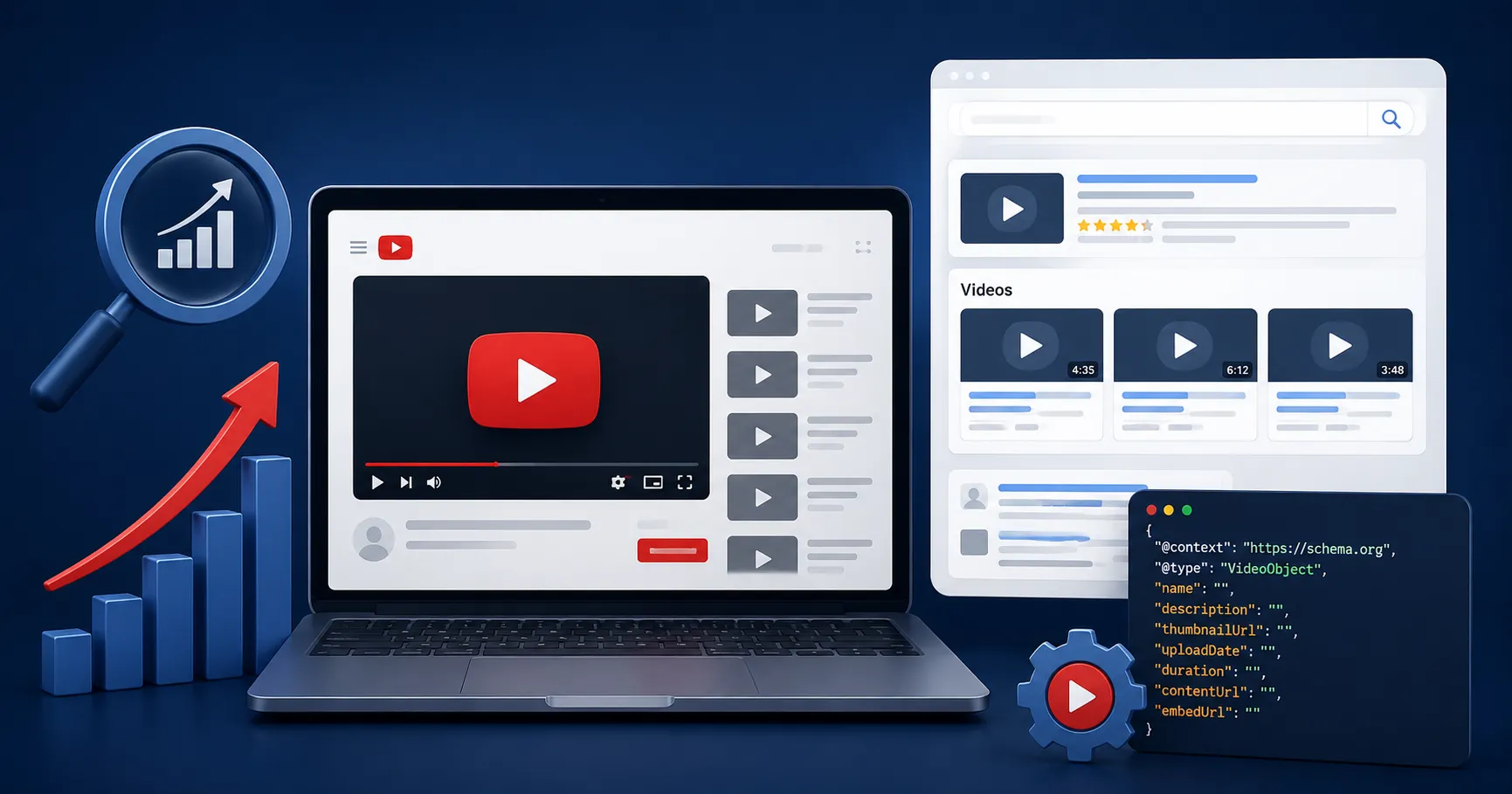
🎬 What is Video SEO and how does it work in 2026?
Video SEO means optimising your videos to rank in two separate places: YouTube's own search and recommendation system, and Google's web results, where videos appear as video results, carousels and Key Moments. The two systems look at different things. YouTube weighs relevance, viewer engagement such as watch time, and channel quality.[10] Google needs a crawlable watch page, a valid thumbnail and, ideally, VideoObject markup and a video sitemap.[5]
In Ahrefs' US keyword database, about 36% of keywords show a video result,[1] yet most sites never do the technical work that makes their own pages eligible. This guide goes layer by layer: how YouTube ranks, VideoObject markup, video sitemaps, transcripts and the Google features that can show your video. Every number below is tied to a source or marked as my own data.
This guide covers video SEO as a complete technical and strategic discipline: YouTube ranking algorithm signals, channel and metadata optimisation, VideoObject and Clip and SeekToAction schema, video sitemaps, Key Moments chapter markup, thumbnail CTR strategy, transcript and caption SEO value, video hosting platform decisions, and how to earn Google video SERP features. It does not duplicate:
- The full SERP feature taxonomy and zero-click strategic framework: SERP Features Sub-Pillar →
- Full structured data syntax for all schema types: Schema Markup Guide →
- How video affects Largest Contentful Paint and Core Web Vitals: Core Web Vitals Guide →
A well-optimised video can show up in several places at once: YouTube search, Google's web results as a video result, Google Images through its thumbnail, and sometimes inside AI answers. YouTube reports roughly 2.58 billion active users,[2] so it is a search destination in its own right. And yet most sites still upload to YouTube with default metadata, embed without VideoObject markup and never submit a video sitemap.
That gap is worth closing. When a video result appears for a how-to or tutorial query, it takes real space on the page, and your video can be visible even if your article sits lower down. I have left out the popular "53x more likely to rank" and "2.6x longer sessions" claims, because the vendor posts behind them never show a method I could check.
In 13 years doing technical SEO, video has consistently been the most undertreated content type I come across. I've audited over 150 websites across B2B SaaS, e-commerce, and education, and the pattern is depressingly predictable: YouTube videos embedded everywhere, zero VideoObject schema. In most cases where I've fixed this, schema implementation plus a video sitemap submission, video SERP features started appearing within a few weeks. The videos themselves didn't change. The content was already good. The technical signals just weren't there for Google to act on.
- Two systems, two checklists: YouTube ranks on relevance, engagement and channel quality; Google needs an indexable watch page, a valid thumbnail and clean markup. Winning in one does not carry over to the other.
- The watch page comes first: Google indexes videos from pages where the video is the main content, and the player has to load without a click.[5][7] A blog post with a video tucked in often does not qualify.
- VideoObject has three required fields: name, thumbnailUrl and uploadDate. Description, duration, contentUrl or embedUrl are recommended, not required.[4]
- Do not chase views: YouTube names watch time for a video and query as an example engagement signal.[10] A tutorial people mostly finish says more than a short video they abandon.
- Text gives both systems something to read: corrected captions, chapters and an on-page transcript cost little and widen what a video can match.
- Hosting decides where the click lands: a YouTube URL in results sends people to YouTube, while a watch page on your domain sends them to you. Pick based on reach versus conversion.
1. Video SEO Across Two Search Engines: YouTube and Google
YouTube and Google are two completely separate search engines. They have different ranking algorithms, different indexing systems, and different optimisation requirements. Getting a video to rank on YouTube doesn't automatically get it into Google's SERP features, and ranking in Google's video carousel has almost nothing to do with your YouTube watch-time metrics. A video SEO strategy that only addresses one of these will always leave performance on the table.
| Dimension | YouTube Search | Google Video SERP Features |
|---|---|---|
| Primary ranking signals | Relevance (title, description, tags, video content), engagement such as watch time, and channel quality | A crawlable watch page, a valid thumbnail, VideoObject markup, a video sitemap and overall page quality |
| Technical requirements | Uploaded to YouTube; keyword-optimised title, description, tags; closed captions; chapters | VideoObject schema on the embedding page; video sitemap; accessible content URL or YouTube embed; structured metadata |
| Traffic destination | Sends traffic to YouTube watch page (not your website, unless linked in description) | Can send traffic directly to your website (if self-hosted) or to YouTube (if YouTube-hosted) |
| Discovery surface | YouTube search, YouTube homepage recommendations, YouTube Shorts feed, suggested videos sidebar | Google web search SERP video carousel, featured video snippet, video rich results, Google Images thumbnail |
| Audience intent | Broad: entertainment, education, tutorials, reviews, news | High search intent: users searching Google for how-to, tutorial, and informational queries that trigger video features |
One client: a software company, had 40 YouTube tutorial videos getting steady YouTube search traffic, but not a single one appeared in Google video carousels. After implementing VideoObject schema on their embedding pages and submitting a video sitemap, 14 of those videos earned Google SERP features within six weeks. Their YouTube numbers didn't move. But website sessions from video search grew by 31%. One client, so treat it as a case and not a benchmark.
2. YouTube vs Self-Hosted vs Embedded: The Strategic Decision
Every video SEO strategy starts with a hosting decision, because it shapes everything else. YouTube, hosts like Vimeo or Wistia, and your own server each change where the click goes and how much markup you control. Google does not publish a ranking edge for one route over another, so decide on where you want the visit to land.
🎬 YouTube: best for reach and discovery
- Free hosting with no per-video fee
- Access to YouTube's audience (about 2.58 billion active users)[2] and YouTube Search
- YouTube videos are very common in Google's video results
- Built-in analytics and audience retention data
- A result for the YouTube URL sends people to YouTube, not your site
- Competitor videos shown in "Up next" after yours
- Best for: content creators, brand awareness, how-to content
📊 Wistia: best for lead generation and conversion
- Paid hosting designed for B2B and marketing teams
- Your own watch page can be the result Google links to
- Built-in CTAs, lead capture forms, heatmaps
- No competitor video suggestions after playback
- Check whether the embed outputs VideoObject markup, and add it yourself if not
- No YouTube presence or YouTube Search visibility
- Best for: B2B, product demos, gated content, lead gen
🎥 Vimeo Pro: best for quality-focused brands
- Paid hosting with high-quality playback and clean player
- Privacy controls: password-protected, domain-restricted
- Your own watch page can be the result Google links to
- Smaller discovery audience than YouTube
- No competitor videos shown; clean, branded player
- Good for: creative agencies, portfolio work, premium content
🖥️ Self-Hosted: best for full control
- Complete ownership of video files and player experience
- Requires your own CDN for performance (affects CWV)
- VideoObject schema fully under your control
- No third-party platform dependency or cost
- Higher technical burden for streaming infrastructure
- Best for: large enterprises with existing CDN infrastructure
3. How YouTube Ranks Videos: Relevance, Engagement, Quality
YouTube says search results are ranked on three things: relevance (title, tags, description and the video itself), engagement (its example is watch time for a video and query) and quality, meaning channels that show expertise and trustworthiness on a topic.[10] Recommendations on the homepage and in suggested videos use clicks, watch time, survey ratings, shares, likes and dislikes, and YouTube says they drive more viewing than subscriptions or search.[12] So better watch behaviour helps in both places.
📊 Signals to Work On, in My Priority Order
YouTube names clicks, watch time, survey ratings, likes, dislikes and shares for recommendations,[12] and relevance, engagement and quality for search.[10] It publishes no weights, so the bar lengths are my own working order for where to spend effort, not a measured weighting.
Looking back at channel launches I've tracked since 2022, the pattern is consistent: channels that focused obsessively on watch time percentage, aiming for 60%+ on their first 20 videos, hit the 1,000-subscriber mark noticeably faster than those chasing view counts. The most effective tactic I've seen for improving average view duration is adding a short "what you'll learn" section in the first 60 seconds with a concrete outcome. It sets an expectation, which reduces early drop-off, viewers know what they're staying for.
4. YouTube Channel Optimisation for SEO
Channel-level optimisation gives YouTube and Google a clear picture of what your channel is actually about. Getting this right helps every video you publish, YouTube is better at matching your content to relevant audiences when it understands your channel's topic area, not just individual video metadata.
Your YouTube channel name should be your brand name exactly as it appears on your website and social profiles. Consistent naming makes it easy for people, and for any system reading the web, to tie the channel to your site. Link the channel from your site and list it in your Organisation sameAs if you maintain one.
Write the description for a new visitor deciding whether to subscribe. Name the subject the way your audience would search for it, put that in the opening lines, then add your publishing schedule and main content areas. Clear wording helps people and gives YouTube plain text to match against.
The Keywords field sits in YouTube Studio under Customisation, then Basic info. YouTube does not document how it uses it, so keep it short and topical, describing the channel as a whole rather than single videos, and do not expect it to move rankings on its own.
Organising your channel page into sections built from topic playlists helps viewers find their way around. A channel with clearly organised sections, "Technical SEO Tutorials," "GA4 Guides," "AI Search Strategies", shows a clear focus to anyone who lands on it. Playlists also play the next video automatically, which can lengthen a viewing session.
5. Video Title, Description, and Tag Optimisation
Title, description and tags are the text YouTube and Google read to work out what a video is about, and they are also what people see when deciding whether to click. The keyword research behind them increasingly needs to account for conversational query patterns. YouTube's own advice is to pick one or two core terms and feature them prominently in both the title and the description,[15] which is a better rule than any keyword-density number.
Titles can run to 100 characters,[11] but the start is what people see in tight spots such as mobile lists, so lead with the main keyword phrase. Use a format that combines the keyword with a clear value proposition: "[Primary keyword]: [specific benefit or outcome]". Examples: "Technical SEO Audit: Step-by-Step Walkthrough for 2026" or "GA4 Conversion Tracking Setup: Complete Guide." Avoid clickbait: if people click and leave, the engagement story you tell YouTube gets worse.
YouTube says descriptions tell the algorithm and viewers what a video is about, that the opening lines are what viewers see before expanding, and that they can run to 5,000 characters.[15] Open with a direct statement of what the video covers, using your main phrase. Then write a genuine summary (my rule of thumb is 150 to 300 words), work in a few secondary phrases naturally, add chapters as timestamps, link related content and finish with a call to action.
YouTube lists tags as one input to relevance alongside the title, description and the video itself, and as a minor one.[10] Five to eight tags is plenty: your exact target phrase first, a few close variants, then one or two broader topic phrases. Long lists of loosely related words add nothing, and stuffing them can fall foul of YouTube's spam and deceptive practices policy.
YouTube's video category is a broad topic label. Select the most specific category that accurately describes your content type, "Education" for tutorial content, "Howto & Style" for instructional videos, "Science & Technology" for software and technical content. Category is a coarse label, so treat it as housekeeping and not as a ranking lever.
6. Thumbnail Strategy and Click-Through Rate Optimisation
Thumbnails and titles are the part of a video you control most directly. When YouTube shows a video to people, clicks and watch time are part of how it judges the result,[12] so a weak thumbnail can limit how many people ever give the video a chance, even when the content is strong. Faces, contrast and a clear focal point are common advice, but I would test them on your own audience instead of trusting a universal lift number.
🎬 High-CTR Thumbnail Characteristics
- A human face with a clear, genuine expression often works well, but it is not universal, so test it for your niche
- High contrast against YouTube's white/dark background, thumbnails must compete in a grid of competing thumbnails
- 3–4 words of large, legible text that adds context the title alone does not convey, not a repetition of the title
- A single clear focal point, one subject or one central visual element; cluttered thumbnails convert poorly at small sizes
- Brand consistency: consistent colour palette, font, and layout across your channel builds thumbnail recognition that improves CTR over time
- The visual promise must match the video content, misleading thumbnails create poor satisfaction signals
📊 Thumbnail Testing and Optimisation Protocol
- Create two or three thumbnail variants for every new video in whatever design tool you already use
- Use Test & compare in YouTube Studio (desktop): up to three titles and/or thumbnails per video, and the winner is picked by watch time share, not click-through rate[9]
- Measure CTR in YouTube Studio Analytics → Reach tab, benchmark your channel average and track individual video CTR against it
- Replace underperforming thumbnails on existing videos, then judge the change over a few weeks, not a few hours
- Audit your top 10 most-viewed videos' thumbnails to identify visual patterns that work for your specific audience
- Thumbnails also appear in Google video results, so they are your first impression in Search too
Across channels I've worked with that ran systematic thumbnail tests for six months, the average CTR improvement was around 1.8 percentage points. That sounds modest, but relative to a typical starting CTR it meant a large share more impressions turning into views. Small sample, my own data. The thumbnail pattern I've seen outperform everything else, across niches from B2B software to DIY home improvement: face on the left with a clear expression (surprise or curiosity works best), and bold 3-word text on the right against a clean contrasting background. It's not groundbreaking advice, but it consistently wins when tested against alternatives.
7. Transcripts, Closed Captions, and Their SEO Value
Transcripts and closed captions are probably the most overlooked text asset in video SEO. Text is the one format every system can read reliably, so a corrected caption file and an on-page transcript make sure your spoken words are actually available for matching. I could not find a trustworthy figure for how much captions lift rankings, so I am not quoting one. What I do know is that automatic captions often mishear technical terms, which are the words that matter most for relevance.
YouTube's auto-generated captions often mishear key terms, names and technical vocabulary, which are exactly the words you want matched. Upload manually corrected SRT files (SubRip Text format) via YouTube Studio → Subtitles. The process: export YouTube's auto-generated transcript, correct it in a text editor, and re-upload as a closed caption file. For high-production channels, tools like Rev.com or Otter.ai automate transcript correction at low cost.
If you embed a video on a page of your website, publishing the full video transcript as on-page text converts an otherwise thin page into a rich, indexable text asset. Googlebot can read the transcript, which puts the whole spoken content of the video on the page, often thousands of words the page would otherwise lack. That gives the page text to match long-tail queries that a two-paragraph description alone would not cover.
For topics with significant international audience overlap, uploading translated captions lets viewers who speak those languages follow along, which is the main win. I have not seen YouTube document captions as a ranking factor, so I treat any search benefit as a bonus. Machine-translated captions are better than none, but have a fluent speaker skim them. Focus first on the 2–3 languages most represented in your existing YouTube Analytics audience data.
When I added full transcripts to 30 video pages across three client sites in late 2024, those pages averaged 44% more organic traffic over the next 90 days than a comparison group without them. It was a small, informal comparison, not a controlled test. The keywords that started ranking were almost entirely long-tail, three-to-five-word phrases that were spoken naturally in the video but never appeared in the written description. That's the thing about transcript-sourced traffic: it captures conversational language that no one would ever manually write into a title.
8. Chapter Markers and Key Moments for YouTube and Google
Video chapters, meaning named timestamp sections in the description, help viewers skip to the part they care about, and Google can use them for Key Moments, the clickable jump links shown in a video result.[4] Google may also detect segments on its own, but it says your own settings take priority.[4]
YouTube turns description timestamps into chapters when there are at least three, they run in ascending order, the first is 00:00 and each chapter lasts at least 10 seconds.[8] Format example:
00:00 Introduction
01:30 What is Technical SEO?
04:15 Crawlability audit step-by-step
09:00 Common technical issues and fixes
14:30 Summary and next steps
Write chapter titles that describe the section in plain words and include a secondary phrase where it fits naturally. They show in the player's chapter bar and give search systems more text to read. Google asks for timestamps on their own lines, in order, with a label of at least one word.[4]
Google says it can find segments automatically and will use your own settings (Clip or SeekToAction markup, or YouTube description timestamps) in preference to its automatic ones.[4] It does not promise to display Key Moments for any given video, so treat them as an opportunity and not a guarantee. For self-hosted video, the schema route is covered in Section 10, and you can opt out entirely with the nosnippet meta tag.
9. VideoObject Schema: Making Video Google-Eligible
VideoObject is the Schema.org type that tells Google exactly what a video on your page is: its title, thumbnail, upload date and where the file lives. Google can find videos on a watch page without it, but the markup states the facts directly, and Google's Video documentation is written around it.[4] Google also asks for a unique name for each video on your site.
VideoObject schema is implemented as JSON-LD in the page's <head> or <body>. The required and recommended properties are:
name, thumbnailUrl and uploadDate. It recommends description, duration, and either contentUrl (preferred) or embedUrl, plus expires only if the video expires.[4] Validate with Google's Rich Results Test before publishing, and keep the markup accurate: markup that breaks the structured data guidelines can lead to a manual action. For every optional property, see the Schema Markup Guide.The quickest schema win I've seen was for a home improvement e-commerce brand. Their DIY tutorial video had been live on YouTube for eight months with no Google SERP feature presence. I added VideoObject schema to the embedding page on a Monday. By Friday, Search Console showed it with a video rich result. The following week it was in a video carousel for its primary query. No content changes, no link building, just schema. I've seen similar timelines at other clients, though Google does not promise any timing, so read this as my experience and not a rule.
10. Clip and SeekToAction Schema for Self-Hosted Video
For self-hosted videos, Google can't pull chapter data from YouTube because there isn't any. To get Key Moments, you add Clip or SeekToAction markup inside your VideoObject. Clip lets you name each segment yourself; SeekToAction lets Google find segments automatically as long as your URLs accept a timestamp.[4]
Clip ("@type": "Clip") sits inside the VideoObject's hasPart property. Each clip needs a name, a startOffset and a url that points to the same video path with a time parameter; endOffset is recommended.[4] Google's rules: the video must support deep links to a point other than the start, the total duration must be at least 30 seconds, and no two clips on a page can share a start time. Use Clip when you want to control the section names yourself.
SeekToAction goes in as a potentialAction on the VideoObject, with a target URL that contains the {seek_to_second_number} placeholder and startOffset-input set to "required name=seek_to_second_number". Only some languages are supported, and Google must be able to fetch your video files.[4] Validate either approach in the Rich Results Test before you ship it.
11. Video Sitemaps: Submitting Video Content to Google
A video sitemap is an XML sitemap extension that describes the videos on your pages. It is a dependable way to help Google find video pages, especially new ones and ones that are weakly linked from the rest of your site.[6]
A standard XML sitemap lists page URLs. A video sitemap adds <video:video> entries to each URL. Google requires a thumbnail, a title and a description, plus either a content URL or a player URL (it prefers the content URL when you have it); duration, publication date and expiration date are optional.[6] You can add the extension to your existing sitemap or keep a separate file. Some SEO plugins and video platforms can generate one, so check what yours actually outputs.
Submit the sitemap in Search Console under Sitemaps, then watch the report for errors such as thumbnail URLs returning 404 or content URLs blocked by robots.txt. Keep dates honest: a past <video:expiration_date> removes the video from video results.[6] To confirm Google is actually indexing the videos, open the Video indexing report, which shows how many indexed pages contain an indexed video and why others were skipped.[7]
12. How Google Indexes and Crawls Video Content
Google finds a video through the page that contains it, then reads the markup and fetches the thumbnail and, where it can, the video file. Most failures trace back to one broken link in that chain, and Search Console's Video indexing report names the common ones.[7]
| Step | What Google Does | What Can Fail: and How to Fix It |
|---|---|---|
| 1. Page discovery | Googlebot discovers the page via sitemap, internal link, or external link | Video pages with no internal links or sitemap inclusion may not be discovered promptly, add video pages to your video sitemap and ensure your internal linking includes at least one link pointing to each video page |
| 2. HTML rendering | Googlebot renders the page's HTML and JavaScript to see the embedded player | The player should be present when the page loads, at its real size and position, without a click. Search Console reports "cannot determine video position and size" when it is not.[7] Test the rendered page in Google Search Console's URL Inspection rendered HTML view |
| 3. VideoObject schema parsing | Google's systems parse the VideoObject JSON-LD to extract video metadata | Schema validation errors (missing required properties, incorrect date format, inaccessible thumbnailUrl) prevent SERP feature eligibility, validate with Google Rich Results Test |
| 4. Video content access | Google tries to fetch the video file or player URL you declared | Files blocked by robots.txt or behind a login cannot be fetched, and paywalled video needs paywall structured data.[5] See also your crawl budget allocation and make sure the video URLs are reachable by Google's crawlers |
| 5. Thumbnail access | Google fetches the thumbnail URL specified in VideoObject schema | Thumbnail problems are a listed reason for videos not being indexed: no URL, unsupported format, robots.txt block or an unreachable URL.[7] Host thumbnails on your own domain or a reliable CDN, never a temporary URL |
| 6. SERP feature eligibility | Google decides whether and how to show the video for a given query | Steps 1 to 5 all have to work for the video to be indexed, and indexing is the minimum before Google considers showing it. Even then, an indexed page is not guaranteed a video result.[5] |
13. Google Video SERP Features: Carousel, Featured Snippet, Rich Results
Google's Search gallery lists Video as a result type, with playback, video segments and live streams.[13] The four treatments below are how I group what I see in live results. Google's docs do not give them these names, and you cannot request one: which appears depends on the query and Google's own judgement.
🎠 Video Carousel
A horizontal scrolling strip of video results appearing above organic blue links for queries with high video intent, tutorials, how-to guides, reviews, recipes, exercise demonstrations. Each carousel card shows the video thumbnail, title, duration, publisher, and upload date. The most prominent video SERP format. Shown mostly for queries where people tend to want video over text. What helps: an indexed watch page, accessible video and strong relevance for the query.
📌 Featured Video Snippet
A single video displayed at position zero above organic results for queries where one specific video has the dominant answer. Appears with a large thumbnail, title, channel name, and sometimes Key Moments. Equivalent to a text featured snippet but for video content. Earned when a video provides the clearest, most direct answer to a specific question. Clear chapters and a description that opens with the answer can help, but nothing here is guaranteed.
🎬 Video Rich Results
Standard organic search results with video-specific rich result annotations, a video thumbnail displayed inline with the listing, plus duration badge and upload date. Lower prominence than the carousel or featured video, but available for a wider range of query types. Needs an indexed video; VideoObject with name, thumbnailUrl and uploadDate (required) plus duration (recommended) gives Google the facts.
⏭️ Key Moments Jump Links
Clickable chapter jump links displayed beneath a video result in the SERP, "Jump to: [Chapter Name] at [Timestamp]". Available for both carousel cards and rich results. Lets people jump to the relevant section from the results page. Google can detect segments itself, or use your YouTube timestamps, Clip or SeekToAction markup.[4]
14. Embedding Video on Your Site for Maximum SEO Benefit
Embedding a video on your own page is how your domain, and not only YouTube, gets a chance at the result. Google calls the right kind of page a watch page: one where the video is the main content, the player loads on its own, and the thumbnail sits at a stable URL.[5] How you embed decides whether it counts.
For tutorial pages, demos and lesson pages, put the video at the top as the primary content. Google says the video must be embedded on the page and not hidden behind other elements, and Search Console flags videos whose player is not present at page load, for example when a visitor has to click an image first.[5][7] Surround the video with real text, a description and a transcript, but do not bury it.
Google recommends a dedicated watch page for each video, with a unique title and description. Pages where a video only supplements other content, such as a blog post or a category page of several videos, do not count as watch pages, and Search Console lists that as a reason videos are not indexed.[5][7] For a library of videos, give each its own page with its own VideoObject and sitemap entry, and keep gallery pages for navigation. If you are consolidating an existing gallery structure, treat it like a content pruning project: split, redirect or merge based on which pages deserve to be indexed.
A page containing only an embedded video provides minimal crawlable text for Google to assess relevance. Add at minimum: a clear title (H1), a 150–300 word video description covering the key topics addressed, the video's chapter list, and, ideally, a full transcript. This supporting text gives Googlebot the keyword coverage needed to assess topical relevance for video SERP feature placement and organic text ranking simultaneously, making the video page competitive for both video features and text search results.
Across a handful of client migrations from multi-video category pages to individual video pages with VideoObject markup, the number of indexed videos in Search Console rose by roughly 340% on average. Before: 3 to 8 videos indexed. After: usually 40 to 90% of the library. A handful of sites is a small sample, so read it as direction, not a promise. Multi-video pages are not penalised; their videos just are not the main content, which is what Google looks for.
15. Video Engagement Metrics and Their SEO Impact
YouTube names watch time as an example of an engagement signal for search,[10] and for recommendations it lists clicks, watch time, survey responses, shares, likes and dislikes.[12] Here is what each metric tells you, with the benchmarks I use as rules of thumb. They are my own working ranges, not YouTube figures. If you are folding these into a stakeholder dashboard, the SEO reporting guide shows how to frame engagement data for non-technical readers.
| Metric | What it tells you | How to improve | My rule of thumb |
|---|---|---|---|
| Average view duration (%) | Whether viewers found the video worth their time | Front-load value; use chapters; eliminate slow intros; cut filler content ruthlessly | 50–60%+ is strong for 10+ minute videos; 70%+ is exceptional |
| Click-through rate (CTR) | Whether your title and thumbnail earn the click when the video is shown | A/B test thumbnails; rewrite underperforming titles; create a clear thumbnail value proposition | 4 to 10% is typical for me; above that is strong. Varies a lot by traffic source |
| Likes per view | Explicit viewer approval | Ask for likes at the moment you've delivered your biggest value, not at the start | 2–5% like rate is healthy; 1%+ is functional |
| Comments per view | How invested viewers are | Ask specific questions that invite responses; reply to every comment in the first 24 hours | 0.5–2% comment rate is typical; varies significantly by niche |
| Subscriber conversions | Whether viewers want more from you | Subscribe CTAs at the end of videos; create series content that rewards subscribers | 1–3% subscriber conversion rate per new viewer is strong |
| Session watch time | How much further viewing the video leads to | Add end screens with recommended next videos; create playlists that auto-play related content | Higher is better; no universal benchmark, relative to your niche averages |
16. Video Content Formats That Rank: What Types Earn SERP Features
Some formats line up better with queries where people want to see something done. If you are deciding what to film, start with these. I have not found published data ranking formats by how often they earn video results, so the labels below are my judgement from watching live SERPs.
🔧 How-To Tutorials
Step-by-step instructional videos for software, DIY, cooking, and technical skills. Video is the natural answer to how-to queries. Best structure: numbered steps with clear chapter markers.
📋 Product Reviews
In-depth product evaluations and comparisons, common for e-commerce brands. Often shows video results for "[product] review" and "[product A] vs [product B]" queries. Works best with hands-on demonstration footage.
🎓 Explainers
Concept explanation videos: "What is X," "How does X work." A clear spoken definition also gives you clean text to caption and transcribe, which suits GEO work too. Best structure: direct definition in first 60 seconds followed by deeper explanation.
🗂️ Listicles / Roundups
"Top 10 X" and "Best Y for Z" format. Often triggers video results for commercial-investigation queries. Chapter structure maps naturally to list items, each item is one chapter.
🏋️ Demonstrations
Exercise, cooking, crafting, and skill demonstrations. Physical and visual demonstrations are where text is weakest, so video is the natural answer.
📰 News & Updates
Breaking news coverage and industry updates. Can appear for current-event queries. Freshness matters most here.
17. YouTube Shorts SEO: The Short-Form Opportunity
YouTube Shorts are vertical videos of up to 3 minutes.[11] YouTube's CEO said in June 2025 that Shorts average 200 billion daily views.[3] Treat that number carefully: since March 31, 2025 a Short's view counts each time it starts or replays, with no minimum watch time, and the older measure is now called engaged views in YouTube Analytics.[11]
In my experience Shorts are distributed mostly through the Shorts feed and not through search, which makes them a discovery and subscriber channel more than a search-intent channel. Because a view now counts at the start of play, look at engaged views and retention in Analytics as your quality check.[11] Titles, descriptions and hashtags still describe the video to viewers and systems, so give them the same care as long-form metadata. Titles can run to 100 characters.[11]
The approach I like for SEO-minded channels is to use Shorts as discovery content that points toward long-form video, where watch time and depth compound. Make a Short that previews the value of a longer video, such as a 45-second highlight of one tip from a 15-minute tutorial, and say out loud where the full version is. Shorts do not give you the same clickable routing as long-form, so use the channel link, a pinned comment and a clear spoken pointer.
Shorts are YouTube videos, so they can show up in Google's video results like any other YouTube video. Google's Search gallery does not list a separate Shorts carousel,[13] so I would not plan around one. Search your target keywords on a phone and a desktop, see what Google actually shows, and decide from that whether a Short for the same topic is worth making.
Three channels I monitored that used Shorts as previews for long-form tutorials, meaning 45-second clips showing a key tip from a longer video, saw subscriber conversion from new viewers roughly 1.4 times higher than channels using Shorts as standalone content. Three channels is a tiny sample. What struck me more was the downstream behaviour: subscribers acquired through Shorts watched noticeably more of the subsequent long-form uploads. The preview format seems to pre-qualify the audience, they already know what the full video delivers before they commit to watching it. I now recommend this as the default Shorts approach for any educational or tutorial channel.
18. Video SEO Implementation Checklist
This checklist pairs well with a broader SEO audit if video is one of several content types you're reviewing at once.
🎬 YouTube Channel Setup
- Channel name matches exact brand name across all web properties
- Channel description says plainly what the channel covers, with the main topic early
- Channel keywords set (a short list of topic phrases) in YouTube Studio under Customisation, then Basic info
- Channel sections organised into topic playlists on the channel page
- Channel linked to your website, and your site links back to the channel
- Channel URL listed in your Organisation sameAs, if you maintain one
📝 Per-Video Metadata Optimisation
- Title: primary keyword phrase in first 60 characters with clear value proposition
- Description: opening lines state what the video covers with the main phrase; fuller summary and timestamps below
- Tags: 5–8 relevant phrases starting with exact target keyword
- Category: most specific relevant YouTube category selected
- Custom thumbnail uploaded: not YouTube auto-generated frame
- Chapters added via description timestamps (at least 3, ascending, first at 00:00, each at least 10 seconds)
- Closed captions: manually corrected SRT file uploaded, not relying on auto-generated captions
🏗️ Technical Schema & Sitemap
- VideoObject schema implemented (JSON-LD) on every page with an embedded video
- VideoObject includes the required name, thumbnailUrl and uploadDate, plus description, duration and contentUrl or embedUrl
- VideoObject validated through Google Rich Results Test with zero errors
- Video sitemap created with <video:video> extensions for all video pages
- Video sitemap submitted in Google Search Console → Sitemaps
- For self-hosted videos with chapters: Clip or SeekToAction schema implemented and validated
- Thumbnail images hosted on your domain (not temporary URLs); returning 200 status code
- Video and thumbnail URLs reachable by Google (not blocked by robots.txt or a login)
📄 Embedding & Page Architecture
- Each video has its own watch page where it is the main content
- Player loads with the page at its real size, with no click-to-load image
- Page includes: H1 title, 150–300 word description, chapter list, and ideally a full transcript
- Internal links from related text articles point to video pages
- Video pages included in standard XML sitemap and dedicated video sitemap
📊 Ongoing Monitoring
- YouTube Studio Analytics reviewed weekly: CTR, average view duration, top traffic sources per video
- Search Console Video indexing report checked for indexed videos and reasons for exclusions; Performance filtered by Videos for clicks
- Underperforming thumbnails (CTR below channel average) replaced and re-tested within 30 days of upload
- Video SERP feature positions tracked for target queries via manual search or rank tracking tool
- Auto-generated captions reviewed and corrected within 1 week of upload, do not leave inaccurate auto-captions as final
- Never use misleading thumbnails or titles that over-promise what the video delivers: it tends to hurt viewer satisfaction and can breach YouTube's policies
19. Frequently Asked Questions
Google stopped showing FAQ rich results on May 7, 2026, and its Search gallery, updated June 15, 2026, no longer lists them.[13] These questions stay here because readers still scan them, and Google says AI features need no special markup beyond normal SEO best practices.[14]
What is video SEO?
Video SEO is the work of getting videos found in two places: YouTube's search and recommendations, and Google's web results where videos appear with thumbnails and sometimes Key Moments. YouTube looks at relevance, engagement and channel quality;[10] Google needs a watch page it can index, a valid thumbnail and, ideally, VideoObject markup.[4][5] You need to cover both to get full value from a video.
What are the most important YouTube ranking factors in 2026?
YouTube says search ranks on relevance, engagement and quality, with watch time for a video and query as its example of engagement.[10] For recommendations it lists clicks, watch time, survey ratings, shares, likes and dislikes.[12] It publishes no weights, so be wary of anyone quoting percentages. In practice: make the video match the query, keep people watching, and package it honestly.
Should I host my video on YouTube or on my own website?
For most brands the practical answer is both. Put educational and how-to content on YouTube for reach, and keep conversion-focused video, such as demos and gated webinars, where your own watch page is the one Google indexes. The key difference is destination: a result for a YouTube URL sends people to YouTube, while a watch page on your domain sends them to you.[5] Google publishes no ranking advantage for either route.
What is VideoObject schema and what does it require?
VideoObject is the Schema.org type that gives Google the facts about a video on your page. Google requires name, thumbnailUrl and uploadDate, and recommends description, duration and a contentUrl or embedUrl.[4] Test it with the Rich Results Test and check the Video indexing report in Search Console.[7]
What are YouTube chapters and Key Moments?
Chapters are named sections you create with timestamps in the description: at least three, in ascending order, the first at 00:00, each at least 10 seconds long.[8] Google can use them, or segments it detects itself, to show Key Moments in results, and it prefers your own settings.[4] For self-hosted video you use Clip or SeekToAction markup instead.
Do video transcripts help with SEO?
They give every system plain text to read, which helps a video match queries its title never mentions, and a transcript turns a thin video page into a text-rich one. I could not find a reliable published figure for the size of the effect, so I do not quote one. Fix the auto-generated captions first, because they often mishear technical terms.
Do I need a video sitemap?
It is not mandatory, but it is a dependable way to help Google find video pages. Each entry needs a thumbnail, title, description and a content or player URL, and an expiration date in the past removes the video from video results.[6]
Can I A/B test thumbnails on YouTube?
Yes. Test & compare in YouTube Studio lets you test up to three titles and/or thumbnails on a video from desktop. It picks the winner by watch time share, not click-through rate, and Shorts cannot be tested.[9]
How long can a YouTube Short be?
Why is my video not indexed in Google?
The most common reasons in Search Console's Video indexing report are that the video is not on a watch page (it only supplements other content), the player is not present at page load, the thumbnail is missing or unreachable, or the video has not been processed yet.[7] Fix the reason listed for your URLs, then request a recheck.
🔎 20. Where the Facts Come From
- Ahrefs, SERP features study. 36% of keywords in its US database show a video result. The page gives no study date.
- Backlinko, YouTube users. 2.58 billion active users, quoting DataReportal's Digital 2026 report.
- Tubefilter, YouTube Shorts 200 billion daily views. Neal Mohan's June 2025 statement at Cannes Lions.
- Google Search Central, Video structured data. Required and recommended VideoObject properties, Clip, SeekToAction and Key Moments. Last updated 2026-09-24.
- Google Search Central, Video SEO best practices. Watch pages, indexing, thumbnails and the Video indexing report. Last updated 2025-12-18.
- Google Search Central, Video sitemaps. Required and optional tags, limits and expiration dates. Last updated May 20, 2026.
- Search Console Help, Video indexing report. What the report shows and why videos are not indexed.
- YouTube Help, Video chapters. Timestamp rules for manual chapters.
- YouTube Help, Test & compare. Up to three titles and/or thumbnails; winner by watch time share.
- YouTube Help, How YouTube search works. Relevance, engagement and quality in search ranking.
- YouTube Help, Shorts. Up to 3 minutes; view counting change from March 31, 2025.
- YouTube Official Blog, On YouTube's recommendation system. Signals used for recommendations (September 15, 2021).
- Google Search Central, Search gallery. Lists Video; FAQ no longer listed. Last updated 2026-06-15.
- Google Search Central, AI features and your website. No special markup needed for AI features.
- YouTube Help, Descriptions and titles. Title and description guidance; descriptions up to 5,000 characters.
The SERP features sub-pillar, with video results as one of the features, the zero-click picture, and a way to decide which features deserve your effort.
Read SERP features guide →The full structured data guide covering all schema types, including complete VideoObject property syntax and validation, which complements this video SEO guide's practical VideoObject and Clip schema implementation examples.
Read schema guide →The companion SERP feature guide for text-based position zero, featured snippets, structured snippets, and rich result types that complement video SERP features for complete above-the-fold SERP coverage.
Read featured snippets guide →How embedded video affects your Core Web Vitals, video as a Largest Contentful Paint element and its CLS impact on layout stability, the page performance dimension of video SEO that this guide hands off to the CWV deep-dive.
Read Core Web Vitals guide →